Give every child a voice
Eleza is a warm communication app (AAC) for children who can’t speak or struggle to. Tap a symbol and the app speaks. Build whole sentences word by word.
Free during the beta · No account required
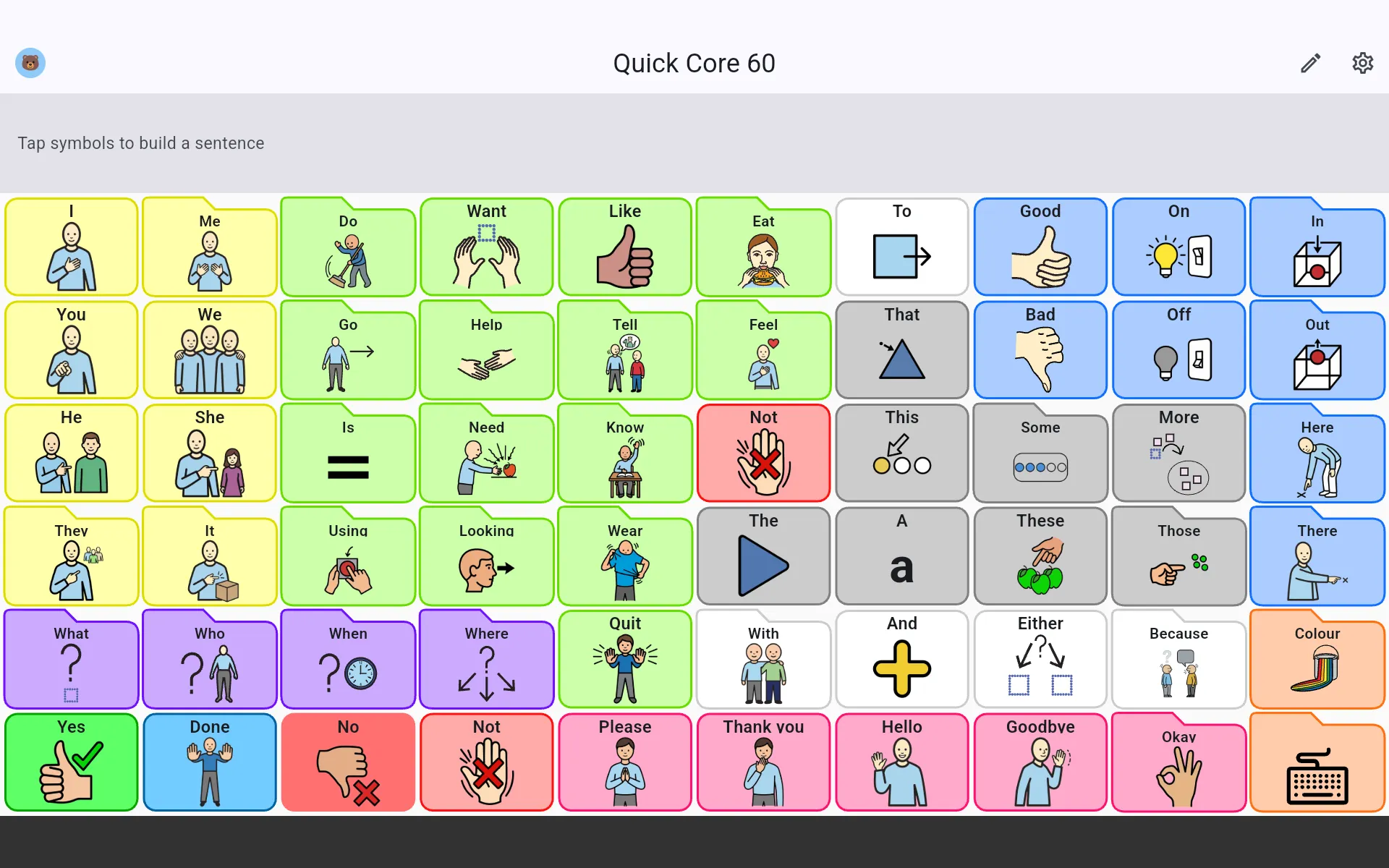
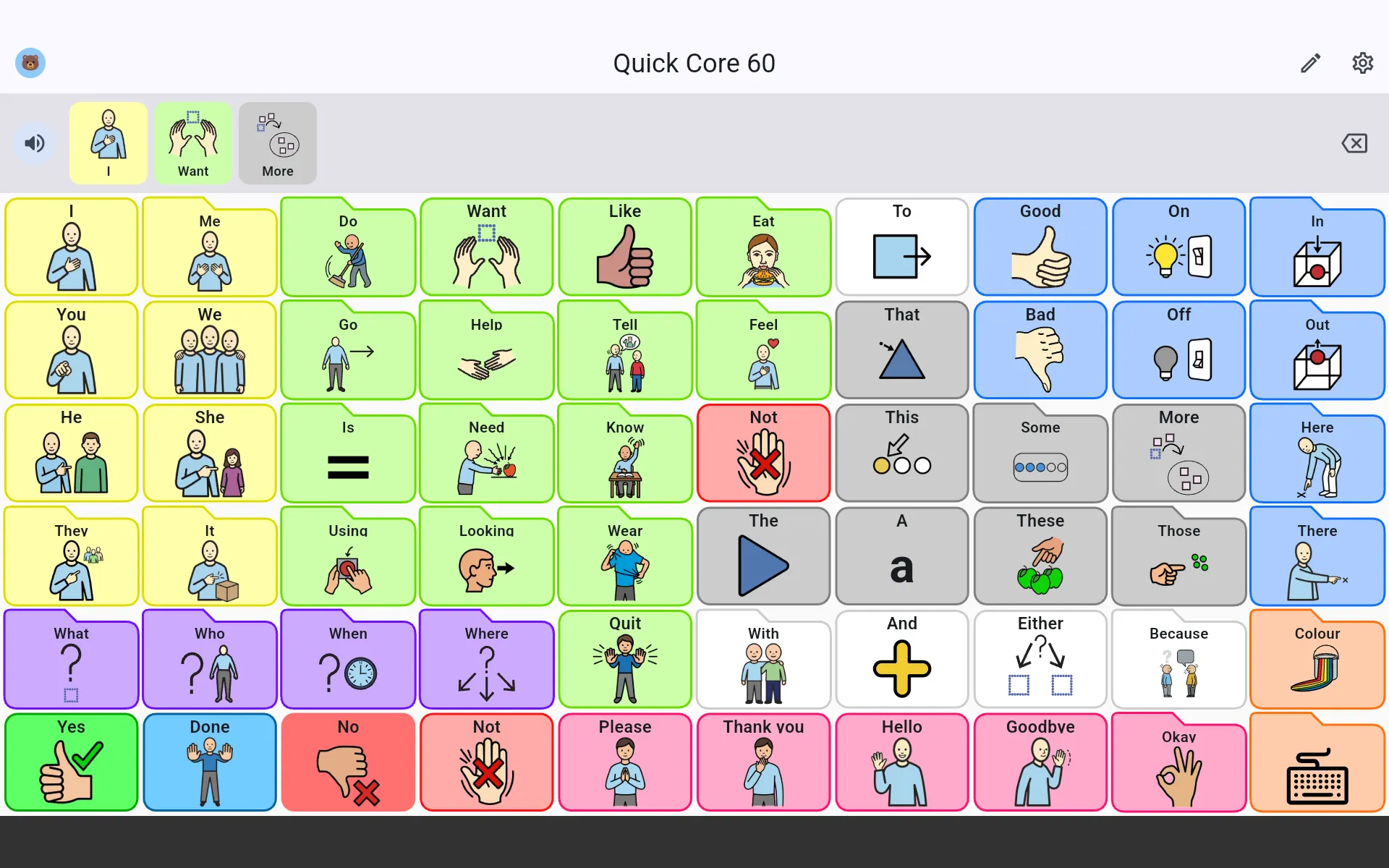
From a single symbol to whole sentences
It’s all about communicating: being heard and understood. This is the heart of Eleza.
Tap to speak
A single tap on a symbol speaks the word out loud with a natural voice, with instant haptic feedback.
Build whole sentences
Tap several symbols in a row into the sentence bar at the top and let Eleza speak the whole phrase at once.
Shape the board to fit
Adjust everything so it fits the child, from small to large, dragged and arranged exactly how you want.
- Grids from 2×2 to 12×12
- Drag, move and remove symbols
- Folders, undo and paste between boards
A large, open symbol library
Thousands of symbols from several well-known sets. Type a word and find the right symbol right away.
- Eleza
- Mulberry
- Twemoji
- Noun Project
- Tawasol
- OCHA
Research-based starter boards
Begin with a core-word board grounded in research, or build from an empty board. No blank-page stress.
Quick Core
24-112Core words, pick the size that fits
Project Core
36Broad vocabulary, ready to use
Empty board
24-112Build everything yourself
Customise any starter board to fit your child afterwards.
A board that grows with your child
Start small and expand when your child is ready. New words appear in their fixed spots, so nothing they already learned ever moves.
- 1
Start simple
A calm set of core words to begin with, not an overwhelming wall of symbols.
- 2
Grow in place
Raise the level step by step. New words fade in, the existing ones stay put.
- 3
Fixed positions
Positions never change, so the motor plan keeps working. Folders grow the same way.
New words appear, always in their fixed spot.
Safe in little hands
Settings and editing sit behind a 5-tap lock, so the child can’t accidentally leave or change their board.
- 5-tap lock
- No accidental changes
One device, multiple children
Each child gets their own profile with an avatar, voice and boards. The symbol library is shared, ideal for families, classrooms and speech therapists.
- Its own avatar per child
- Its own voice, speed and pitch
- A separate set of boards per profile
- Switch between children in a tap
Your own photos as symbols
Turn a photo from real life into a symbol: grandpa, a favourite toy, their own cup. Something a stock library can’t match.
- Camera or gallery
- Recognisable to the child
- Instantly available on the board
And plenty more
Small things that make a big difference in everyday use.
Voice tuning
Pick a voice, adjust speed and pitch, and preview before applying.
Colour coding
Symbols are coloured by word type (Fitzgerald key), which supports language structure.
Import & export
Open Board Format (.obz): bring boards in from other apps and make backups. No lock-in.
Folders & subfolders
Keep vocabulary organised and clear, even on large boards.
Fixed positions
Hide words without moving them. Positions stay put for motor planning.
Phone & tablet
Comfortable on a small screen and a large tablet alike.
Why Eleza?
Eleza means ‘to explain’ or ‘to make clear’ in Swahili.
Exactly what we want for every child: the room to explain themselves, and to be heard and understood.
Privacy by design
Eleza is made for children, so privacy comes first. Everything stays on the device.
- No account and no login
- No cloud, data stays on the device
- No tracking, ads or analytics
- Works fully offline
Frequently asked questions
Who is Eleza for?
For children who can’t speak or struggle to and benefit from augmentative and alternative communication (AAC), and for their parents, teachers and speech therapists.
Can a child build whole sentences?
Yes. Tap several symbols into the sentence bar and Eleza speaks the entire phrase, not just single words.
Which devices does it run on?
Eleza launches first for Android phones and tablets. Other platforms may follow later.
Which languages are supported?
The app is available in Dutch and English. More languages may follow later.
Can I bring existing boards along?
Yes. Via Open Board Format (.obz) you can import boards from other AAC apps and back up your own.
Do I need an internet connection?
No. Eleza works fully offline, without an account and without the cloud.
Be there when Eleza launches
Leave your email and we’ll let you know as soon as the app is available.
We’ll only use your email for this announcement. No spam.